


Ordering an App: A Professional Roadmap for Business Clients

This article is a practical roadmap for business owners who want to order an app without being trapped by vague quotes, unrealistic timelines and risky contracts. You’ll learn how to define a measurable business goal, turn a raw idea into a buildable core, choose between native, hybrid or web app based on strategy, break down costs and scope, demand proper UX and process from your team, and structure contract and post-launch work so that control and ownership stay with you – not your vendor.
Dmitry Löwe
Published on December 1, 2025 · Updated May 25, 2026
App Development: A Professional Roadmap for Clients
Imagine walking into a meeting and saying: "We want to build an app so customers can order more easily. About how much would it cost? About how long would it take?" Three teams have submitted proposals:
- • One says they'll "put everything together" for €3,000.
- • Another quotes between €8,000 and €10,000.
- • A more experienced team talks about roughly $30,000 and up.
They all look professional, show portfolios, speak well – but you have a bad feeling: you don't know which number is realistic, which team will disappear midway, and which team will actually deliver something that benefits your business.
At Olymaris, we've seen this scenario countless times: a smart client, but without a roadmap. Technical teams that each see the world from their own perspective. And a project that could become a strategic asset, but instead becomes a nervous and financial burden.
Why We Wrote This Article
This article isn't meant to turn you into a programmer, but rather into a "smart and unexploitable client" – someone who knows exactly where to start, what questions to ask, and what never to sign when negotiating with any team (including Olymaris).
This is the "hub article" of the app cluster. From here, you can navigate to more specialized articles, such as:
But for now, let's start with the main path.
Step Zero: Why Do You Even Want an App? (Power Starts with This Question)
Most clients start the game like this: "Everyone has an app, we should have one too." From that moment, you lose control. Because the technical team will define the goal for you – and whoever defines the goal controls the game.
In the first Discovery meeting at Olymaris, we deliberately don't talk about technology yet. We ask three questions that are the heart of the entire project:
- 1. What specific problem in your business is this app supposed to solve?
- 2. Who is the main target audience of the app? End customers? VIP customers? Internal employees? Managers?
- 3. Six to twelve months after launch, what metric should have changed for you to say "this app was successful"? Sales? Number of orders? Return rate? Support costs? Response time?
Olymaris Rule: As long as the business goal of the app isn't measurable, any conversation about cost, technology, and deadlines resembles fortune-telling more than consulting.
Step 1: An Idea That Can Be Built and Tested, Not Just Talked About
Almost everyone starts with a sentence like this: "I want to build a super app, something like X but more complete..."
An idea that wants everything and nothing at the same time has three serious problems: it devours the budget, mercilessly extends the timeline, and the first version never reaches a real user.
A healthy idea for app development has at least these characteristics:
- ✓ Clear Problem: e.g., "Appointment bookings are currently done by phone and notebook, and we constantly have errors and duplicate work."
- ✓ Clear Target Audience: End customer? Sales team? Manager? Each requires different architecture and UX.
- ✓ Simple Usage Scenario: "Login → Registration → Select Service → Payment → Receive Confirmation."
- ✓ Clear Value Path: Direct revenue, operational cost reduction, data collection, increased loyalty, etc.
If you can't write these four points on one A4 page, you're not ready to order an app yet.
To find out if your idea is even worth building, be sure to check out the checklist in the article "10 Signs Your App Idea Is Worth Building". There you can score your idea and decide whether to move forward, scale it down, or bravely let it go.
Step 2: Native, Hybrid, or Web App – A Decision That Affects Your Costs for Years
One of the first questions after the idea is: "Should we build the app natively? Hybrid? Or is a web app enough?"
Teams usually recommend what they're strongest in. Love Flutter? They answer everything with Flutter. Only know Native? They call everything else "temporary" and "unprofessional."
The truth is, this choice is an economic and strategic decision, not a religious one. Very briefly:
Native
Best performance and user experience, but higher cost and longer time, especially if you want both iOS and Android.
Hybrid / Cross-Platform
One codebase for multiple outputs; for 70-80% of businesses, the speed/quality/cost combination makes sense.
Web App / PWA
Faster and usually cheaper development; ideal for internal panels, dashboards, and MVPs without deep mobile hardware dependency.
At Olymaris, we weigh three things before the name of a technology comes to the table:
- 1. Intensity and type of user interaction with the app (daily? occasional? heavy?)
- 2. Target platforms in the next 12 months (mobile only? mobile + web?)
- 3. Realistic budget for phase 1
If you want to see this decision with examples, comparison tables, and real scenarios, be sure to read: Native, Hybrid, or Web App – Which One Is Right for You?
Step 3: App Development Costs – How Not to Get Stuck Between €3,000 and €60,000
When you get quotes from several places, you usually hear something like this:
- • Small team: "€3,000 to €5,000, we'll put everything together."
- • Medium company: "About €15,000 to €25,000."
- • More serious team: "Depending on scope, from $30,000 upward."
On the surface, we have two "overpriced" teams and one "fair" team. The reality is that each has priced something different.
In Olymaris estimation meetings, we break costs down into several blocks:
- → Analysis and product design
- → Custom UX/UI design
- → Backend, database, and API
- → Mobile/web development
- → Testing and quality assurance
- → Deployment and launch
- → Maintenance and future development
It's enough to ask each team: "This number you mentioned – which parts does it cover exactly and which doesn't it?" In 90% of cases, the picture suddenly becomes clear: one hasn't calculated UX, one writes maintenance separately, one has only half-seen the backend, and the €3,000 team is actually just sticking a shell on a ready-made service.
Golden Rule: Any proposal that doesn't clearly show "work hours, roles, and project parts" is actually more expensive even if it's cheaper – because you're also buying risk and ambiguity.
If you want to see realistic price ranges for different SME scenarios (simple app, app with admin panel, multi-sided app, etc.), read the following article and use it as a reference in negotiations: How Much Does It Cost to Build an App? Pricing Guide for Small and Medium Businesses
Step 4: Scope – The Real App You're Building, Not the Imaginary One in Your Head
Scope means the exact list of things that will be built in version 1, along with things that are deliberately saved for later versions.
When scope isn't clear: every meeting ends with the phrase "let's just add this one small feature," deadlines constantly shift back, costs rise, and the project becomes a swamp.
The model we use at Olymaris (and you can demand from any other team):
-
1.
Feature Wishlist – Write everything down without censorship.
-
2.
MoSCoW Prioritization:
- • Must have – Without these, the app makes no sense
- • Should have – Better to have in version 1
- • Could have – If time/budget remains
- • Won't have (for now) – For later versions
-
3.
Scope Approval Version 1 – Anything not in this document is by default not part of the work. Adding any item means changing time and cost.
This document is your defensive weapon to prevent the project from getting out of control.
Step 5: UX – Where the User Decides to Stay or Delete the App
Let's be honest: the user has no emotional attachment to you. If they get confused, they close the app and move on with their life.
Whether your app "simplifies other people's lives or gets on their nerves" depends more on UX than just programming.
The process we recommend at Olymaris (and you can require from any team):
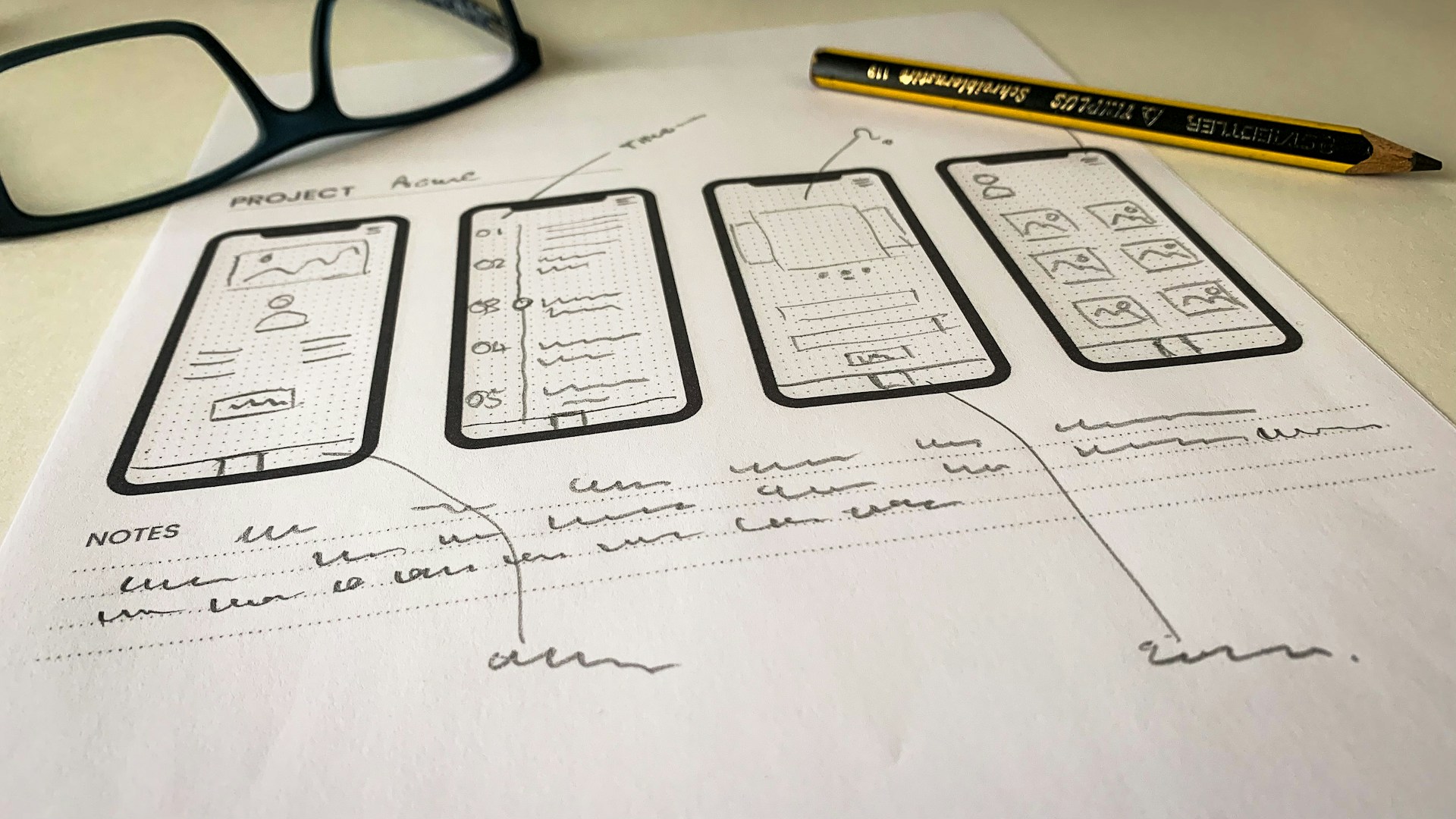
- 1. First, only the main user scenarios on paper, without color and graphics; just boxes and arrows
- 2. Then wireframe design of pages
- 3. Quick test with some real users
- 4. Finally, final colorful UI design on a thought-out UX, not the other way around
If the team goes straight to colorful designs and graphics from the start and there's no talk of scenarios and wireframes, you know you're building on slippery ground.
Step 6: Team Selection – How Not to Entrust Your Fate to the Wrong People
Team selection is in practice more fateful than technology selection. A few simple but critical checkpoints:
1. Live Portfolio, Not Just Pretty Mockups
Links to published apps in stores, with clear explanation of the team's role: Just frontend? Entire product? Did they also provide product consulting or just programming?
2. Process, Not Just Promises
Ask: "How many analysis and design meetings do you have before coding? How often do you deliver a test version? How do you document requirements?" If the answers are vague and unclear, in practice you'll also face ambiguity and surprises.
3. Team with Defined Roles
For a serious project, at least these roles should be covered somehow: Product/Analyst, UX/UI, Backend, Mobile/Web, QA. When everything is in one person's hands, it might be acceptable for a very small project, but for something that's supposed to become a real business asset, it's a heavy risk.
4. Financial and Contractual Transparency
Staged payment based on milestones, written explanation of costs outside the contract (e.g., scope change), and conditions for future maintenance and development.
The Olymaris structure is designed so that if you decide tomorrow to give the continued work to another team, you can stand on what you've received – not be left empty-handed.
Step 7: Contract, Ownership, and Hidden Risks
The biggest blows usually come from here: the source code doesn't belong to you, domains and servers aren't in your name, every small change becomes a tool for financial pressure.
Some clauses we at Olymaris are always strict about (and you should be too):
- ⚠ Source Code Ownership: After settlement, the source code belongs to you and is kept in a private repository
- ⚠ Domain and Main Account Ownership: Domain, cloud accounts, and store accounts should preferably be registered in your company's name, not the programmer's
- ⚠ SLA for Bugs: E.g., critical bugs are fixed free of charge up to 3 months after launch
- ⚠ Maintenance Plan: Exactly what level of monitoring, updates, and support is offered at what cost
To familiarize yourself with common contract risks and real scenarios, be sure to save this article: 10 Common App Project Risks That Burn Time and Budget
Step 8: Development Process, Testing, and Launch – What's Normal and What's a Warning Sign?
When the project starts, you should be able to distinguish between "natural delay" and "a project that's sinking."
A healthy pattern we implement at Olymaris usually has these characteristics:
- ✓ The project is divided into short sprints (e.g., two weeks)
- ✓ Each sprint has a clear goal and at the end you have a visible demo
- ✓ Regular, short reporting meetings (weekly or biweekly), not long silence and then a shock
- ✓ The test environment is separate from the main environment and you see the version before the end user
- ✓ The launch is gradual, not an explosive launch without practice
If the team only gives a final delivery date and doesn't define any milestone or intermediate version between today and that day, they're practically saying: "Trust us, you'll see what happens later" – and that's the most dangerous sentence in the software world.
If you want a more accurate picture of realistic timelines for various web and app projects, be sure to check out this article and compare its numbers with team proposals: How Long Does It Take to Build a Website or App?
Step 9: After Launch – Where Smart Apps Overtake the Others
Many think the goal is "to publish the app." In practice, launch day is day zero, not day one hundred.
Some key tasks after launch that we recommend to clients:
- → Install Serious Analytics: Know exactly what users are doing, where they're getting stuck, and where drop-offs occur
- → Collect Structured Feedback: Form in the app, support channel, interviews with some key users
- → Plan for Future Releases: Better to have a version every 4-6 weeks with bug fixes and some small improvements so users feel the app is alive
- → Add AI at the Right Time: Chatbot, content or product recommendations, experience personalization based on actual user behavior
AI shouldn't be stuck in version 1 just to "look modern"; it should ride on the shoulders of real data from early versions.
How to Use This Roadmap to Your Advantage Right Now
So far you have a complete roadmap. Now you have two paths ahead:
Path 1: Independent Movement with This Checklist
Save this article for yourself. Every time you have a meeting with a team, proceed according to these steps:
- • Business goal?
- • App type and reasoning?
- • Scope version 1?
- • UX process?
- • Contract and ownership?
- • Plan after launch?
Wherever answers are unclear, calmly but firmly say "no" instead of emotional discussion.
Path 2: Use a Team That Has Walked This Path Many Times
At Olymaris, these steps aren't just article theory, but what we implement in real projects. Collaboration usually starts with a focused Discovery meeting, where we:
- • Translate your idea into business language
- • Define the scope of version 1 with you
- • Give a logical recommendation for app type based on market reality and your budget
- • Put a realistic time/cost plan on the table
If you want to understand right now how your idea, budget, and timeline look in the real world, the simplest step is to book a short Discovery meeting through the Olymaris website and come to the negotiation table with full hands this time.
What's important is that from now on, you don't enter the app ordering game with "feeling," but with "plan and power."
Frequently Asked Questions About App Development
Question 1: If I only have a raw idea, where do I start?
Turn the idea into three things: the main problem, the main target audience, and a simple usage scenario. If you can't do it alone, schedule a Discovery meeting with an experienced team to clarify these three points together in 60-90 minutes and define a buildable core (MVP). To evaluate the strength of your idea, you can use the checklist in the article "10 Signs Your App Idea Is Worth Building".
Question 2: How do I know if the proposed price for app development is reasonable or not?
First ask what parts this number is divided into exactly: analysis, UX/UI design, backend, mobile/web development, testing, launch, maintenance? Then ask how many people work how many hours on the project and what the price change formula is if the scope changes. Any proposal that can't explain in a few simple sentences "where the money goes exactly" carries more risk, even if it's cheaper. For realistic price ranges and numerical examples, see: App Development Pricing Guide
Question 3: How long does it usually take to build an app?
Depending on scope and expected quality, you usually need a few weeks for analysis, design, and UX, a few months for development and testing, and a test launch phase. If the team only gives a final date and doesn't define any intermediate stage (milestone, test version, demo), that's a serious warning sign. For more accurate numbers in different scenarios, see: Realistic Timeline
Question 4: Do I need both iOS and Android from the start?
Not necessarily. For many businesses, it makes more sense to start with just one platform (e.g., Android or a good web app) and then expand gradually. The decision should be based on actual statistics of your target users and your budget, not just the feeling of "having everything from day one."
Question 5: Which is better: Native app, Hybrid app, or Web app?
The right answer depends on your goal, budget, and time horizon. If performance and user experience at the highest level are top priority and the app is supposed to be the core of the business in the next 3-5 years, Native makes sense. If you want to be present on multiple platforms faster with a lower budget, Hybrid often offers the best balance. If you don't have heavy dependence on mobile hardware and want to create an MVP or internal panel, Web App is a strong option. For a more detailed comparison, see: Native, Hybrid, or Web App
Question 6: What are the biggest risks in app projects and how do I prevent them?
Constant launch delays, scope creep (endless adding of features), missing product owner, insufficient testing, weak UX, dependence on one person, lack of documentation, and no maintenance plan are among the common risks. Your best defense: clear scope, defined milestones, transparent contract on ownership and documentation, and a team that takes these risks seriously. For examples and practical solutions, see: 10 Common App Project Risks
Question 7: Do I need to have AI in the app from version 1?
In most projects, the answer is "no." Version 1 should solve the main problem and generate real users and real data. AI makes sense when you know what behavior you want to predict or personalize and have enough data for it.
Question 8: How do I know if the current team is suitable for continuation or if I should change it?
Pay attention to some signs: Do you have clear milestones and showable versions or just promises? Are documentation, repository, and access in your possession? Are they sensitive to risks, testing, and UX or do they postpone everything to "we'll fix it later"? If the answers to these questions are negative, it's time to change the collaboration structure or the team itself; the later you do this, the higher the exit costs will be.
Comments
0 published comments
No approved comments have been published yet.
Recommended Articles
Fresh insights from our blog

AI Automation for Small Businesses: What Is Actually Worth It?
Not every AI idea is worth the effort. This guide shows small businesses which workflows are worth automating first, how to judge readiness,...

CRM for Small Businesses: A Practical Guide to Starting Simple
A practical guide for owners and managers who want a simple CRM without turning sales into a software project. Learn when a CRM is worth it,...

Turn Your Website Into a Sales Machine: More Leads and Revenue
A practical guide for small businesses that want their website to do more than look good. Learn how clearer messaging, stronger trust, bette...

Medical Practice Website: Booking, Forms, Costs
A practical guide to building a medical practice website that helps patients book online, submit forms, and understand what affects cost.

Driver Tracking for Small Transport Companies: Features and Costs
A practical guide to driver tracking for small transport companies: what it does, what to look for, and how to think about cost and rollout.

Holiday Apartment Website with Booking System: What Owners Really Need
A practical guide for holiday apartment and serviced apartment owners who want a booking website that shows availability, builds trust and t...