


How to Inform Customers About Delivery Status

Give customers clearer delivery updates without extra phone calls. Learn how driver tracking helps transport teams share status faster and with less confusion.
Olymaris Team
Published on July 3, 2026
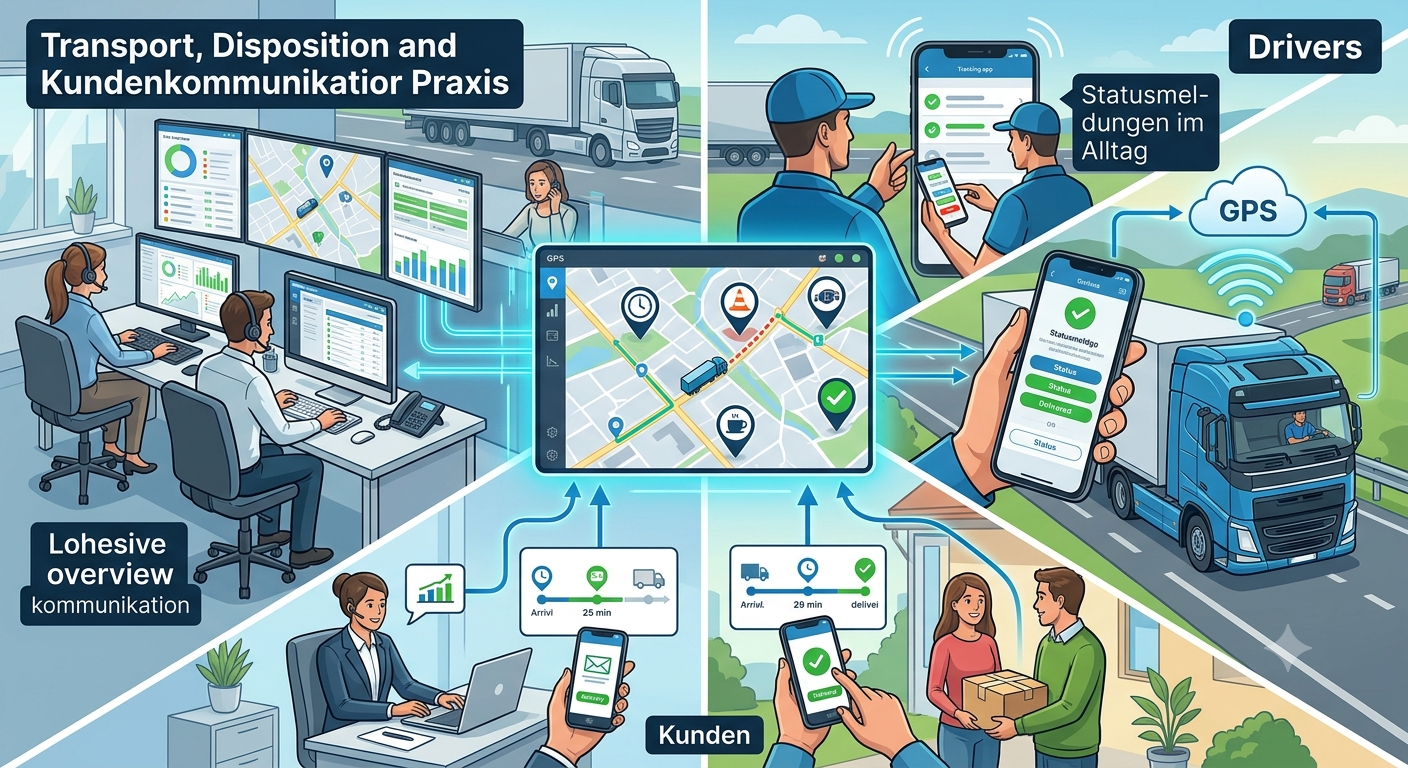
How to Inform Customers About Delivery Status
When customers know what is happening with a delivery, they ask fewer questions, trust your team more, and are easier to serve. For small transport companies, that usually means one thing: less time spent on calls and more time spent moving jobs forward.
A driver tracking app helps the office see where a driver is, whether they are on route, in traffic, on a break, or already finished. That makes customer updates faster and more consistent, especially when the day gets busy.
What customers actually want to know
Most customers do not need a technical explanation. They want a simple answer to three questions: Is the delivery still on track? If not, how late is it likely to be? And who can they contact if they need help?
Current status
On route, delayed, at a stop, or completed.
Expected timing
A realistic update is better than a vague promise.
Next action
Who will call, message, or confirm the delivery.
A simple process that reduces follow-up calls
The best customer update process is not complicated. It starts with a clear status from the driver, then gives the office one place to check before replying. That avoids the common problem where the same delivery is discussed three times by three people.
A practical workflow
- The driver updates status from the app or PWA.
- The office checks the live overview before answering the customer.
- If needed, the team shares a clear update instead of guessing.
- When the delivery is complete, the status is marked as finished.
Why this matters for small businesses
Less office pressure
When status is visible, staff spend less time chasing drivers for updates.
Better customer experience
Customers feel informed instead of left waiting without context.
Fewer misunderstandings
Simple status labels reduce confusion about where a delivery stands.
More reliable planning
The office can react sooner when traffic or delays change the route.
How the driver tracking app supports customer updates
The Driver Tracking App for Transport Companies gives your team a live view of driver location and status. That means customer communication is based on current information, not on memory or repeated phone calls.
It also fits neatly with the Driver Tracking for Small Transport Companies: Features and Costs overview, where the focus is on choosing a setup that supports daily operations without adding unnecessary complexity.
Useful status labels
On route, break, traffic, arrived, or completed.
Shared visibility
Office and customer-facing teams can work from the same information.
Tracking link option
A link can help the office or customer follow delivery progress more easily.
Mobile use
Drivers can update status from a phone in daily operations.
When to use a more structured update process
A structured process becomes valuable when your team handles several deliveries at once, customers call for updates throughout the day, or delays create extra coordination work. In those situations, a clear status view is often cheaper than constant manual follow-up.
If your office keeps asking, “Where is the driver?” or “Can we tell the customer something now?”, the problem is usually not communication effort. It is missing visibility.
Next step for transport teams
If you want fewer status calls and clearer customer communication, start with a simple tracking setup that fits your daily workflow. The goal is not more software. The goal is better answers, faster decisions, and calmer operations.
Comments
0 published comments
No approved comments have been published yet.
Recommended Articles
Fresh insights from our blog

AI Automation for Small Businesses: What Is Actually Worth It?
Not every AI idea is worth the effort. This guide shows small businesses which workflows are worth automating first, how to judge readiness,...

CRM for Small Businesses: A Practical Guide to Starting Simple
A practical guide for owners and managers who want a simple CRM without turning sales into a software project. Learn when a CRM is worth it,...

Turn Your Website Into a Sales Machine: More Leads and Revenue
A practical guide for small businesses that want their website to do more than look good. Learn how clearer messaging, stronger trust, bette...

Medical Practice Website: Booking, Forms, Costs
A practical guide to building a medical practice website that helps patients book online, submit forms, and understand what affects cost.

Driver Tracking for Small Transport Companies: Features and Costs
A practical guide to driver tracking for small transport companies: what it does, what to look for, and how to think about cost and rollout.

Holiday Apartment Website with Booking System: What Owners Really Need
A practical guide for holiday apartment and serviced apartment owners who want a booking website that shows availability, builds trust and t...