

HubSpot or a Custom CRM? What Small Businesses Should Choose

Choosing between HubSpot and a custom CRM is not really about brand versus bespoke software. For most small businesses, the better choice depends on team habits, sales complexity, follow-up discipline, and how much simplicity matters in daily work.
Olymaris Team
Published on August 17, 2026
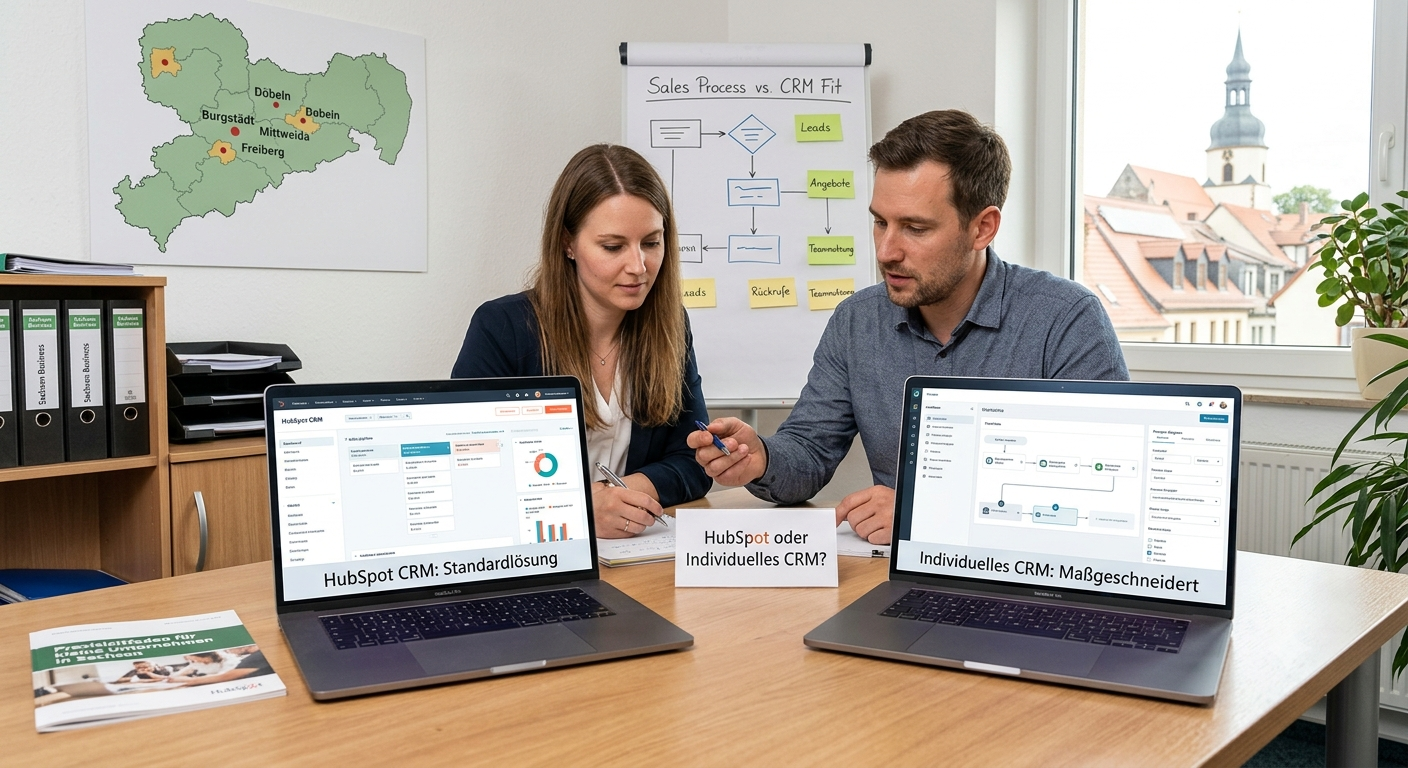
HubSpot or a custom CRM? Start with the business problem, not the software label.
Small businesses often compare HubSpot with a custom CRM as if one option is automatically modern and the other is automatically flexible. In practice, the better choice depends on something simpler: how your team handles leads, follow-ups, offers, and customer status every day.
If your sales work is still scattered across inboxes, spreadsheets, calls, and chat messages, the first goal is usually not to build something unique. It is to create one clear system that people will actually use. That is why many owners start by reviewing the basics in this practical guide to CRM for small businesses before deciding how tailored the system really needs to be.
Short answer
For many small companies, HubSpot makes sense when they want a structured starting point and can adapt their process to an existing system. A custom CRM makes more sense when the business has a very specific workflow, unusual handovers, or reporting needs that do not fit neatly into standard tools. The mistake is choosing either option before defining what the team must track, who uses it, and what should happen after a new enquiry arrives.
When HubSpot is often the better fit
- You want a known CRM structure instead of designing everything from scratch.
- Your team can work within a standard pipeline and contact model.
- You need one place for leads, customers, tasks, and follow-ups quickly.
- You want to reduce chaos first and refine the process later.
This route is often less about having every possible feature and more about getting consistent daily usage.
When a custom CRM can be the better fit
- Your sales process has special stages, approvals, or handovers.
- You need the CRM to match an existing way of working very closely.
- Different team roles need different views of the same customer journey.
- You want a simpler interface than a broad all-in-one platform provides.
A custom setup is most valuable when it removes friction from real work, not when it adds a software project to a small team.
The real decision criteria for owners and managers
1. Process fit
Does the system support how enquiries move from first contact to offer, follow-up, and customer status?
2. Team adoption
Will your team actually update it, or will they keep working in email and memory?
3. Simplicity
Can owners quickly see open opportunities, next steps, and stalled deals without digging?
4. Data flow
Can website enquiries, spreadsheet imports, and customer notes be kept in one reliable place?
If those basics are unclear, the comparison between HubSpot and a custom CRM stays too abstract. The better question is: what should this system make easier for your team next week?
What small businesses often get wrong
- They choose a platform before agreeing on the sales process.
- They buy for future complexity instead of current daily needs.
- They assume more features automatically mean better follow-up.
- They forget that a CRM only works when the team understands it.
That is also why related decisions such as when to replace Excel with a CRM and how to structure a simple lead pipeline matter before you overthink software architecture.
A practical middle ground: start simple, then tailor where needed
For many small businesses, the smartest path is not choosing between “fully standard” and “fully custom” as extremes. It is starting with a simple CRM structure that covers the essentials: a central place for leads and customers, a clear sales pipeline, follow-up reminders, better control over offers, clean spreadsheet imports, and a simple dashboard for owners and teams.
That approach keeps the project focused on business outcomes. It helps you fix missed follow-ups, unclear ownership, and scattered customer information first. Then, if the process shows that certain steps need more tailoring, you can refine the system from a stronger foundation.
If that is the direction you need, the Simple CRM for Small Businesses service is built around exactly that kind of practical rollout.
Need help choosing the right CRM path?
If you are deciding between HubSpot and a more tailored CRM setup, start with your real sales workflow, not a feature checklist. We can help you define a simple structure your team will actually use.
Comments
0 published comments
No approved comments have been published yet.
Recommended Articles
Fresh insights from our blog

AI Automation for Small Businesses: What Is Actually Worth It?
Not every AI idea is worth the effort. This guide shows small businesses which workflows are worth automating first, how to judge readiness,...

CRM for Small Businesses: A Practical Guide to Starting Simple
A practical guide for owners and managers who want a simple CRM without turning sales into a software project. Learn when a CRM is worth it,...

Turn Your Website Into a Sales Machine: More Leads and Revenue
A practical guide for small businesses that want their website to do more than look good. Learn how clearer messaging, stronger trust, bette...

Medical Practice Website: Booking, Forms, Costs
A practical guide to building a medical practice website that helps patients book online, submit forms, and understand what affects cost.

Driver Tracking for Small Transport Companies: Features and Costs
A practical guide to driver tracking for small transport companies: what it does, what to look for, and how to think about cost and rollout.

Holiday Apartment Website with Booking System: What Owners Really Need
A practical guide for holiday apartment and serviced apartment owners who want a booking website that shows availability, builds trust and t...