


Physiotherapy Website with Online Booking

A practical guide to building a physiotherapy website that helps patients book faster, reduces admin work, and makes your services easier to understand.
Olymaris Team
Published on June 16, 2026
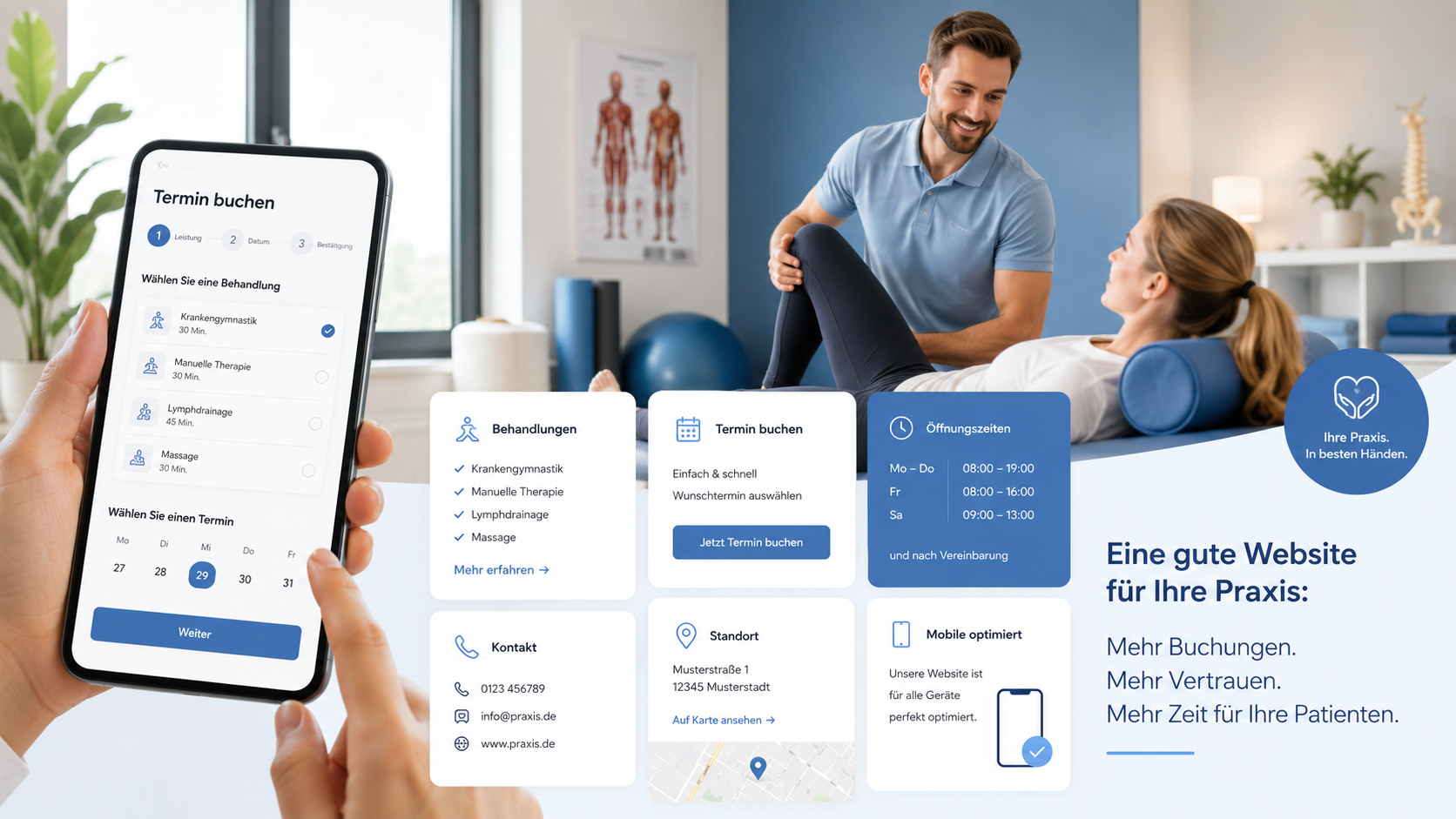
A physiotherapy website should make booking simple and trust easy.
For a physiotherapy practice, the website is often the first place a patient decides whether to call, book, or keep searching. That means the site has to do more than look professional. It should explain what you treat, show how patients can take the next step, and reduce the number of repetitive questions your team answers every day.
This article focuses on the booking experience itself: how to present online appointment requests, what information patients need before they book, and how to keep the path short enough for busy people who are comparing providers on mobile.
What patients want before they book
Clear treatment overview
Patients want to know whether you handle back pain, rehabilitation, sports injuries, post-op recovery, or other common needs before they commit to contact.
Simple booking path
A short form or appointment request flow helps people move from interest to action without hunting through the site for a phone number.
Practical reassurance
Opening hours, location, what to bring, and who the practice is for all help reduce hesitation before the first visit.
How to structure the booking journey
A good physiotherapy website usually works best when the booking journey is visible from the start. The homepage should point to a clear service page, and that service page should explain the treatment, the patient type, and the next step in plain language.
- Use one primary call to action for appointment requests.
- Keep the form short enough to finish on a phone.
- Show what happens after submission so patients know what to expect.
- Place contact details, opening hours, and directions where they are easy to find.
If you want a broader planning view, the Medical Practice Website: Booking, Forms, Costs guide explains how booking, forms, and budget decisions fit together. For a more service-specific build, the Medical Practice Website with Online Booking page shows the core solution this article builds on.
Why this matters for small practices
Less front-desk pressure
When patients can understand services and request appointments online, your team spends less time repeating basic information.
Better fit for mobile users
Many people compare providers on their phone, so the site needs fast answers, readable sections, and a booking path that does not feel heavy.
More confident first contact
A clear website helps patients feel that the practice is organized, approachable, and ready to help.
Easier content updates
A simple CMS makes it easier to update services, team details, and opening hours without turning every change into a project.
A useful page structure for physiotherapy
For physiotherapy, the most useful pages are usually the ones that answer patient questions quickly. That means a clear homepage, treatment pages, team information, FAQ, contact details, and a booking section that is easy to spot on every device.
The goal is not to overload the visitor. It is to help them decide faster, reduce uncertainty, and make the next step obvious. That is especially important for practices that rely on repeat visits, referrals, and local search visibility.
Final step: turn interest into appointments
If your physiotherapy website should do more than present the practice, start with a booking-first structure, clear service pages, and a simple patient journey. That combination helps visitors act sooner and gives your team a more efficient digital front desk.
Comments
0 published comments
No approved comments have been published yet.
Recommended Articles
Fresh insights from our blog

AI Automation for Small Businesses: What Is Actually Worth It?
Not every AI idea is worth the effort. This guide shows small businesses which workflows are worth automating first, how to judge readiness,...

CRM for Small Businesses: A Practical Guide to Starting Simple
A practical guide for owners and managers who want a simple CRM without turning sales into a software project. Learn when a CRM is worth it,...

Turn Your Website Into a Sales Machine: More Leads and Revenue
A practical guide for small businesses that want their website to do more than look good. Learn how clearer messaging, stronger trust, bette...

Medical Practice Website: Booking, Forms, Costs
A practical guide to building a medical practice website that helps patients book online, submit forms, and understand what affects cost.

Driver Tracking for Small Transport Companies: Features and Costs
A practical guide to driver tracking for small transport companies: what it does, what to look for, and how to think about cost and rollout.

Holiday Apartment Website with Booking System: What Owners Really Need
A practical guide for holiday apartment and serviced apartment owners who want a booking website that shows availability, builds trust and t...