


From WhatsApp and Excel to Your Own Booking System

If event sign-ups still live in chats and spreadsheets, a simple booking system can reduce admin, improve the customer experience, and make sales easier to manage.
Olymaris Team
Published on May 31, 2026
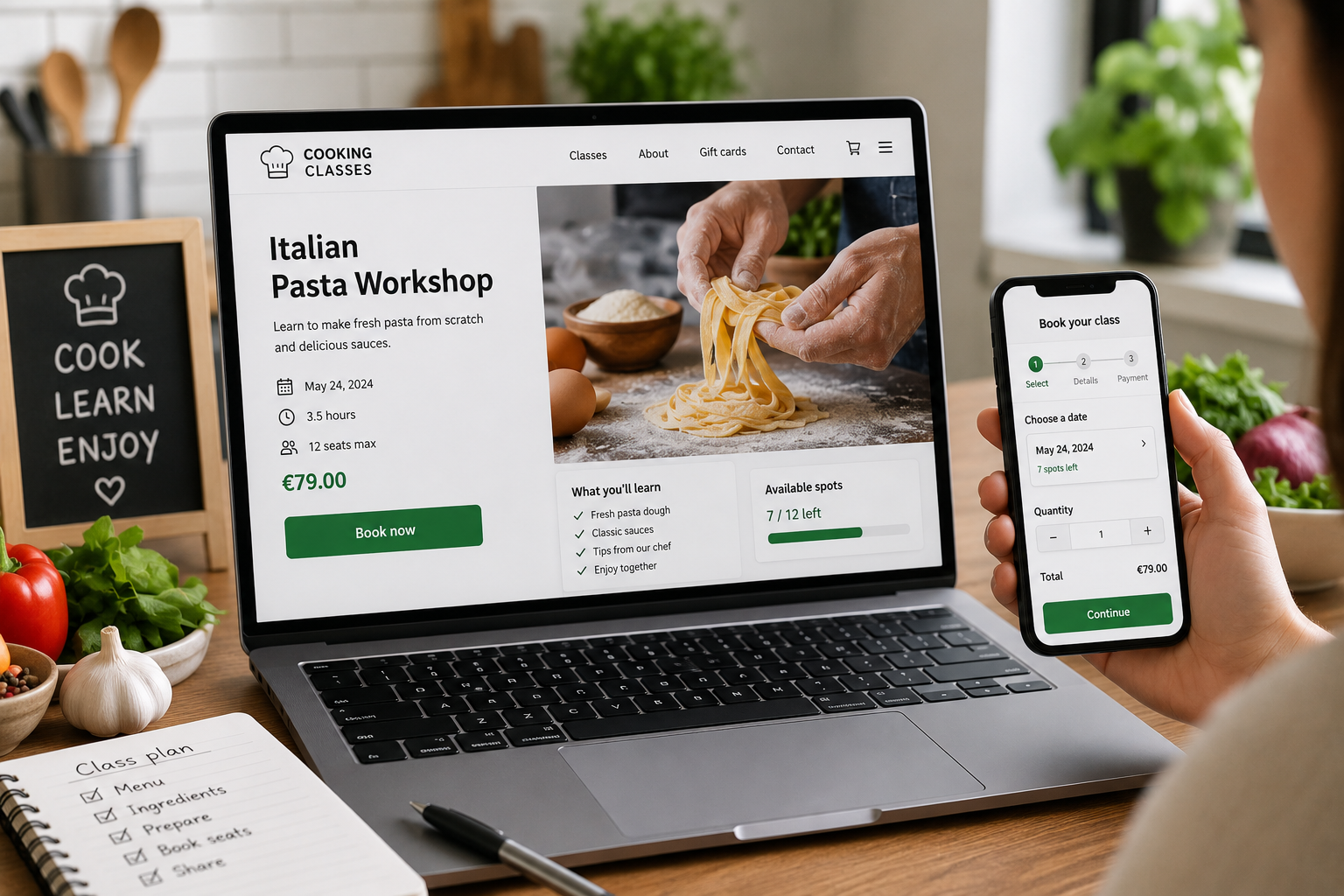
From chat-based bookings to a system your team can trust
Many small event businesses start the same way: a customer sends a WhatsApp message, someone checks an Excel sheet, and the team confirms the seat manually. That works for a while, but it becomes risky as soon as bookings increase, staff change, or events sell out faster than expected.
A better setup is not about adding complexity. It is about giving your team one clear place to manage registrations, payments, attendee lists, and capacity. That is where an event website with online ticket shop becomes useful: customers can book directly, and your team spends less time copying data between tools.
What usually breaks first
- Messages get missed when several people handle inquiries.
- Excel files drift out of sync with real seat availability.
- Payment status is hard to track without one shared process.
- Last-minute changes are difficult to communicate cleanly.
What a simple booking system changes
- Customers see the event, choose a ticket, and complete the booking online.
- Digital tickets and email confirmation reduce follow-up questions.
- Your team gets a clearer attendee overview and capacity control.
- QR code check-in makes event-day entry faster and calmer.
Why this matters for business owners
The real value is not just convenience. It is fewer manual errors, less back-and-forth, and a more professional buying experience that can help more interested people finish the booking instead of dropping off in chat.
A better workflow for small teams
For startups, course providers, workshop hosts, and local event teams, the goal is usually the same: keep the process simple enough to run without extra admin staff. A booking system helps by turning a scattered process into a repeatable one.
Before
Bookings arrive in messages, availability lives in spreadsheets, and confirmations are handled one by one.
After
One event page handles booking, payment, confirmation, and attendee management in a single flow.
How this supports your sales process
This approach is especially helpful when your events are time-sensitive or capacity-limited. If a workshop has only a few seats left, a manual process can slow down the sale. A direct booking flow helps customers act while interest is still high.
It also gives managers a clearer view of what is happening. Instead of asking who booked, who paid, and how many places remain, the team can check one admin area and make faster decisions.
When it is time to move on from spreadsheets
You do not need a large platform to make this change. If your team already feels the friction of manual booking work, that is usually the sign that a dedicated system will save time and reduce mistakes. The shift is often most useful when you run recurring events, sell seats in advance, or need a cleaner handoff between marketing and operations.
If you want to compare the broader business case for selling directly on your own site, the main guide on owning the ticket sales flow is a useful next read.
What to look for in the next step
- Clear event pages that explain the offer quickly.
- Online payment and automatic confirmation.
- Attendee and capacity management in one place.
- Simple check-in for the event day.
If your current process still depends on WhatsApp and Excel, the next step is usually not a bigger spreadsheet. It is a booking system that helps your team sell and manage events with less friction.
Next step
If you are planning a new event website or want to replace manual booking work, start with the service page and then contact us about your setup.
Comments
0 published comments
No approved comments have been published yet.
Recommended Articles
Fresh insights from our blog

AI Automation for Small Businesses: What Is Actually Worth It?
Not every AI idea is worth the effort. This guide shows small businesses which workflows are worth automating first, how to judge readiness,...

CRM for Small Businesses: A Practical Guide to Starting Simple
A practical guide for owners and managers who want a simple CRM without turning sales into a software project. Learn when a CRM is worth it,...

Turn Your Website Into a Sales Machine: More Leads and Revenue
A practical guide for small businesses that want their website to do more than look good. Learn how clearer messaging, stronger trust, bette...

Medical Practice Website: Booking, Forms, Costs
A practical guide to building a medical practice website that helps patients book online, submit forms, and understand what affects cost.

Driver Tracking for Small Transport Companies: Features and Costs
A practical guide to driver tracking for small transport companies: what it does, what to look for, and how to think about cost and rollout.

Holiday Apartment Website with Booking System: What Owners Really Need
A practical guide for holiday apartment and serviced apartment owners who want a booking website that shows availability, builds trust and t...