


Stripe Payments for Event Ticket Sales

A practical guide to using Stripe for event payments, so small teams can sell tickets online, confirm bookings automatically, and reduce manual admin.
Olymaris Team
Published on May 27, 2026
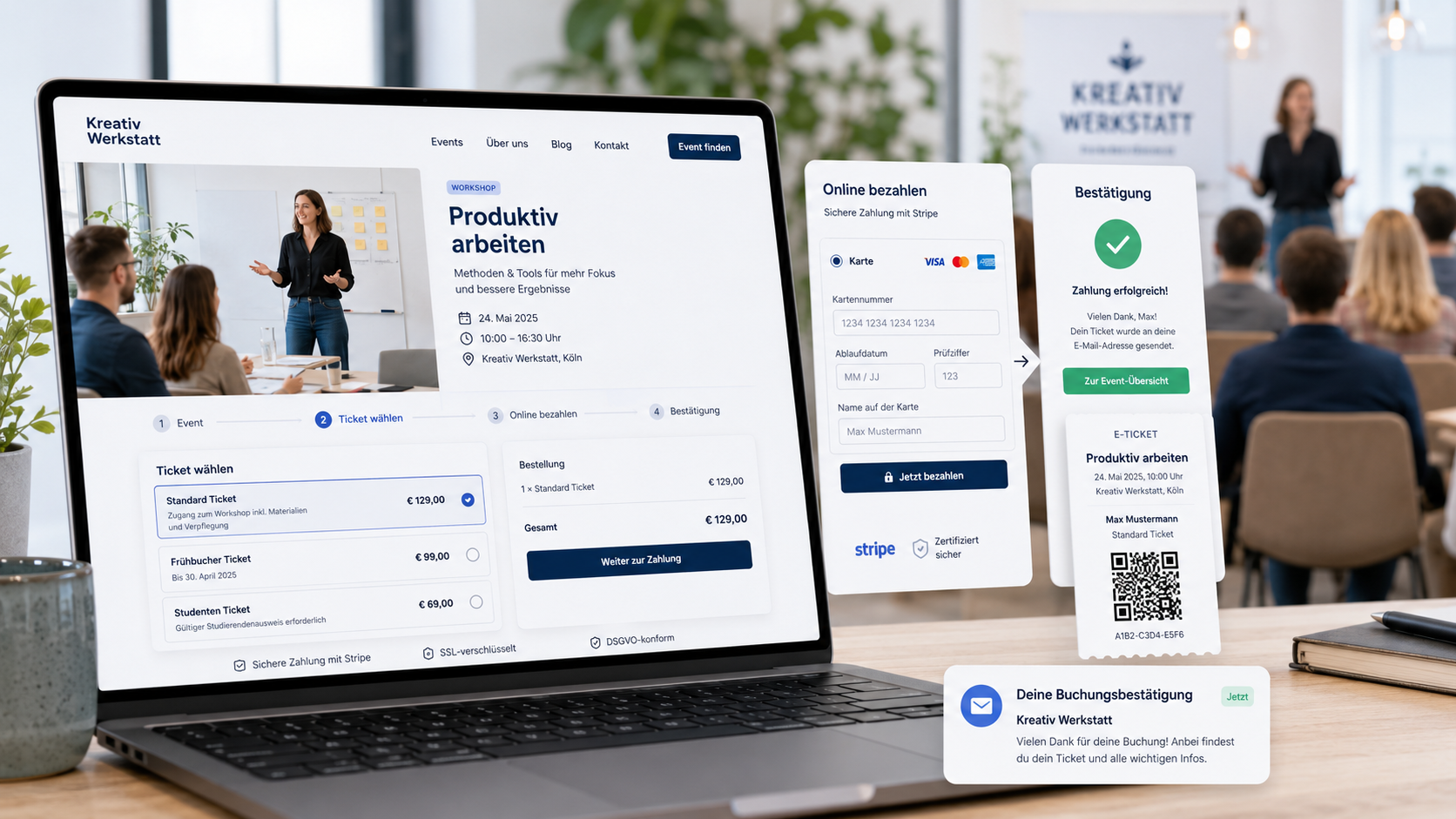
Stripe can turn event interest into paid bookings faster
If you sell workshops, classes, or live events, the payment step is often where interest gets lost. People ask for an invoice, wait for a reply, or drop off before they finish the booking. A Stripe-based payment flow keeps the process simple: choose a ticket, pay online, receive confirmation, and move on.
That matters for small teams because every manual step costs time. Instead of checking transfers, matching names, and sending confirmations one by one, your team can focus on filling seats and preparing the event experience.
What the buyer sees
A clear event page, ticket selection, online payment, and an immediate email confirmation.
What the team gains
Fewer payment questions, less admin work, and a cleaner attendee list before event day.
What the business protects
More completed bookings and fewer lost sales caused by slow manual payment handling.
Why Stripe fits event websites with their own ticket shop
For an event website with an online ticket shop, the payment method should support a fast decision. Stripe fits that need because it supports a straightforward checkout experience and helps keep the booking flow inside your own website instead of sending people away to a separate platform.
Business value
A smoother checkout usually means fewer abandoned bookings and less back-and-forth with customers.
Operational value
Your team gets a clearer overview of paid seats, open seats, and attendee status before the event starts.
A practical setup for small teams
For most small businesses, the best setup is not a complicated payment system. It is a simple path that helps people decide quickly and gives your team reliable records.
- Show the event clearly with date, price, and remaining capacity.
- Let visitors pay online without leaving the booking page.
- Send an automatic confirmation so customers know their place is secured.
- Keep attendee and capacity management in one admin area.
- Use digital tickets and QR check-in to make event day easier.
This is especially useful when your team handles recurring workshops, training sessions, or local events and wants fewer manual tasks before each date.
Common mistakes to avoid
Too many payment steps
If the checkout feels long or unclear, people may stop before paying.
Manual confirmation delays
If customers must wait for a reply, the booking experience feels slower and less reliable.
No clear attendee overview
Without a central list, it becomes harder to manage capacity and event-day check-in.
Treating payment as a side feature
For event sales, payment is part of the sales process, not just a technical detail.
How this supports your event website strategy
This article supports the broader decision to sell directly from your own website by focusing on the payment moment itself. If the checkout is easy, the rest of the sales process becomes easier too. That is why a ticket shop with Stripe is not just a convenience feature; it is part of a more controlled sales setup.
For a deeper look at the website-side sales model, see the main guide on why event websites need to sell. If you are planning the full build, the Event Website with Online Ticket Shop service page shows the broader solution.
Next step
If you want to sell event tickets online with less manual work, Stripe can be part of a simple, reliable booking flow that helps your team save time and keep control.
Comments
0 published comments
No approved comments have been published yet.
Recommended Articles
Fresh insights from our blog

AI Automation for Small Businesses: What Is Actually Worth It?
Not every AI idea is worth the effort. This guide shows small businesses which workflows are worth automating first, how to judge readiness,...

CRM for Small Businesses: A Practical Guide to Starting Simple
A practical guide for owners and managers who want a simple CRM without turning sales into a software project. Learn when a CRM is worth it,...

Turn Your Website Into a Sales Machine: More Leads and Revenue
A practical guide for small businesses that want their website to do more than look good. Learn how clearer messaging, stronger trust, bette...

Medical Practice Website: Booking, Forms, Costs
A practical guide to building a medical practice website that helps patients book online, submit forms, and understand what affects cost.

Driver Tracking for Small Transport Companies: Features and Costs
A practical guide to driver tracking for small transport companies: what it does, what to look for, and how to think about cost and rollout.

Holiday Apartment Website with Booking System: What Owners Really Need
A practical guide for holiday apartment and serviced apartment owners who want a booking website that shows availability, builds trust and t...